DevConsole
A built-in web dashboard for development-time monitoring and debugging. Automatically enabled when APP_ENV !== 'production' and accessible at http://localhost:{PORT}/_devconsole/.
DevConsole is zero-config, localhost-only, and requires no additional setup beyond running your app in development mode.
Screenshots
Dashboard
Routes
OpenAPI Schema
HTTP Requests
SRPC
Database Entities
Database Log
Health Checks
Mutex Monitor
Interactive REPL
Workers
Views
Dashboard
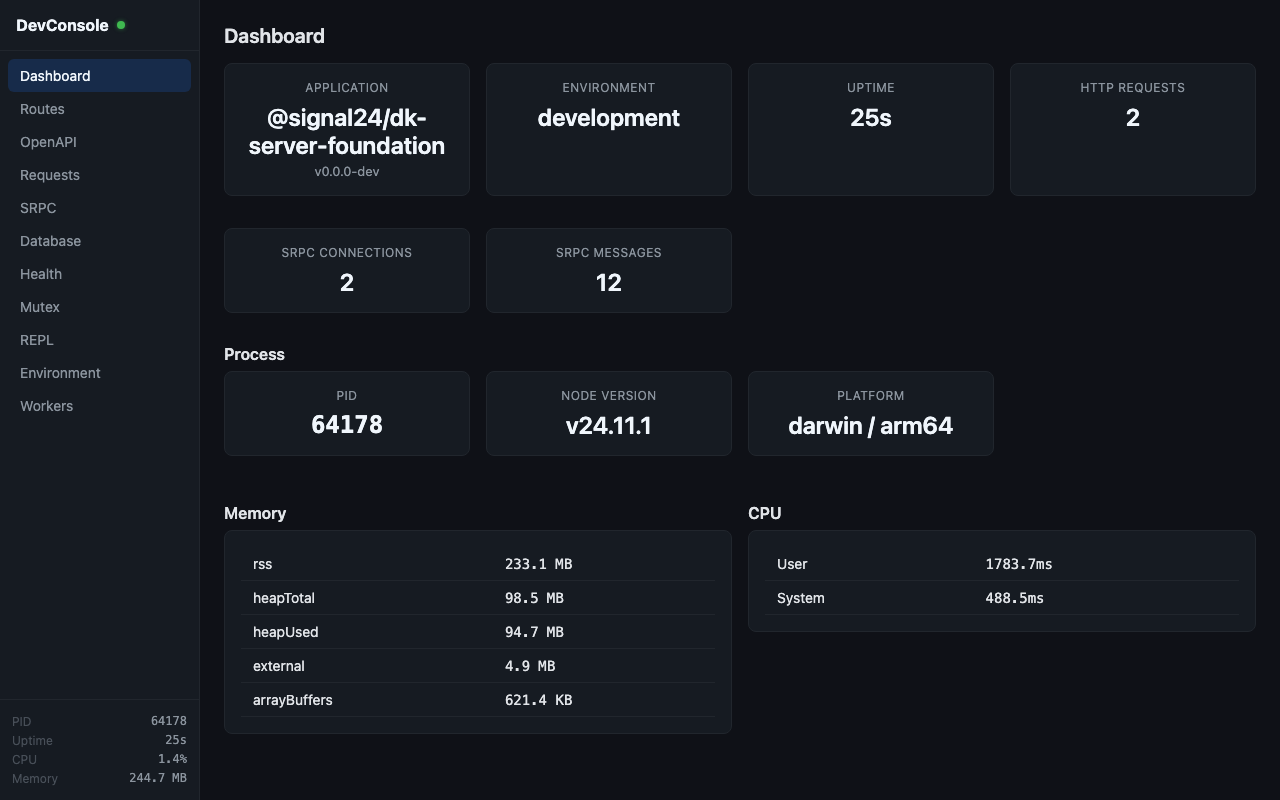
App overview showing name, version, environment, uptime, and real-time statistics (HTTP request count, SRPC connections/messages). Also displays process info: PID, Node version, platform, CPU usage, and memory consumption.
Routes
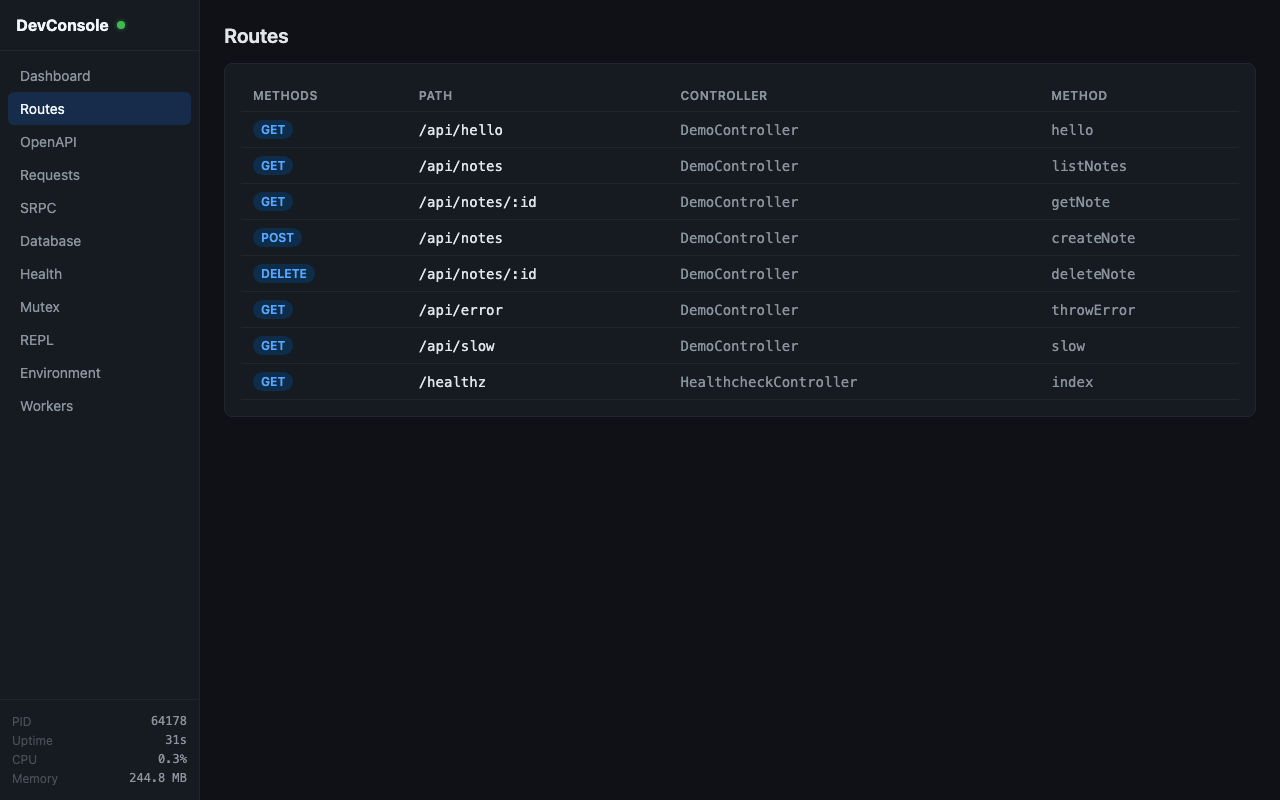
Lists all registered HTTP routes with their methods, paths, controller class, and handler method. Internal /_devconsole routes are excluded.
OpenAPI
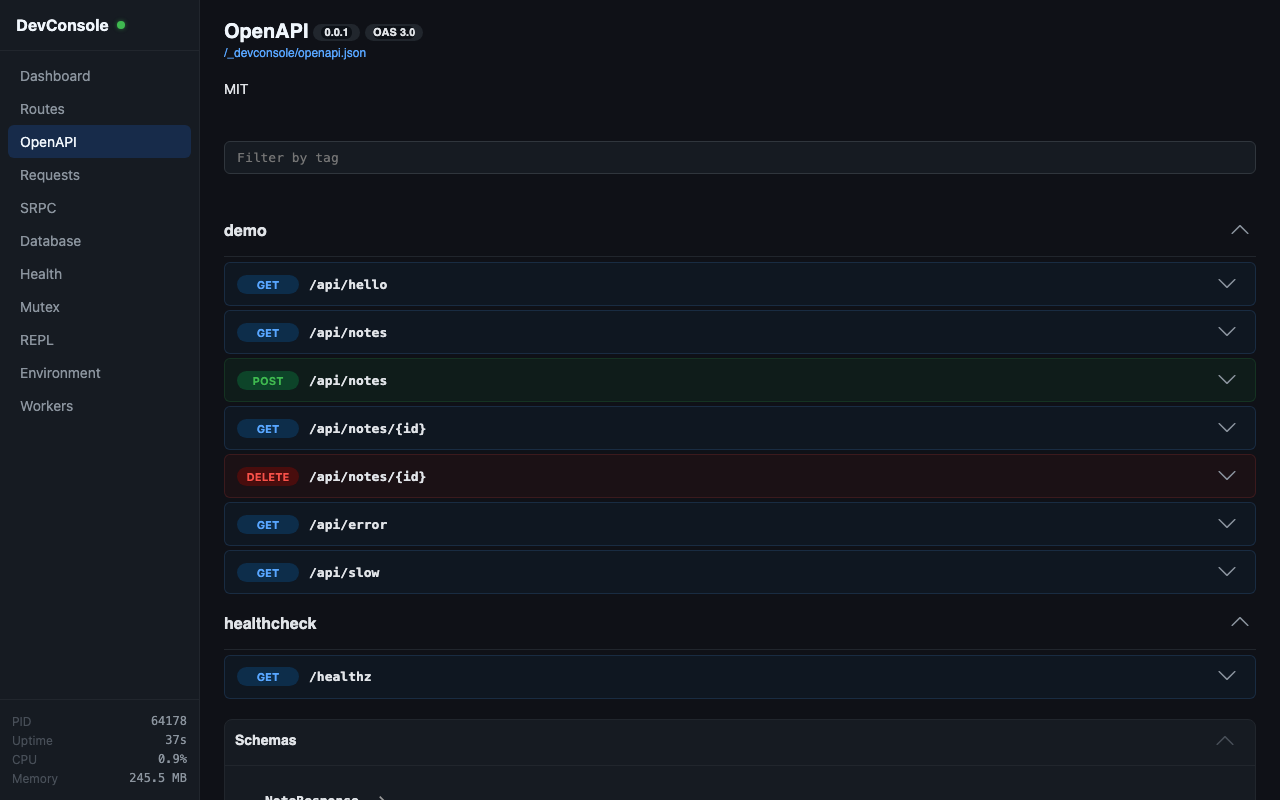
Displays the OpenAPI schema generated from your HTTP routes. The schema is generated on-demand from route metadata via deepkit-openapi-core.
Requests
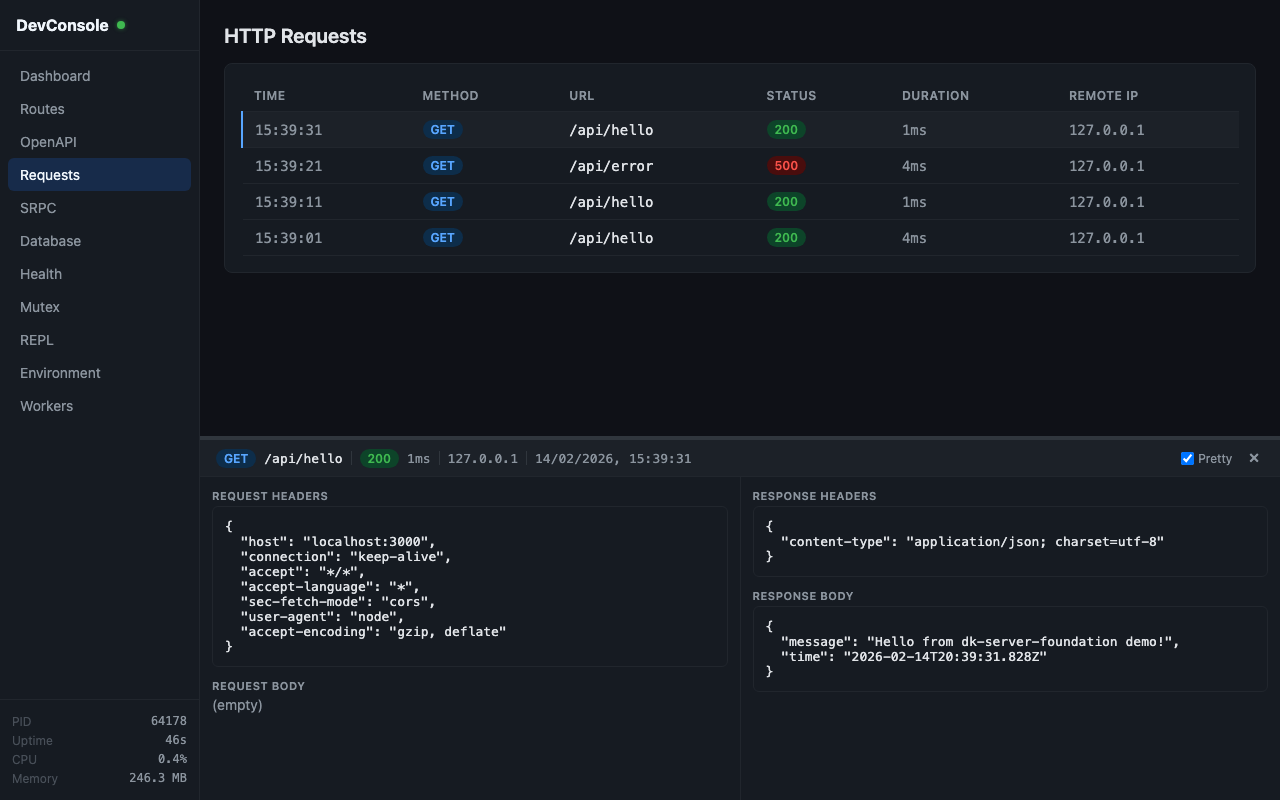
HTTP request inspector capturing the last 500 requests. Shows timestamp, method, URL, status code, duration, and remote address. Expanding a request reveals full request/response headers and bodies (up to 32KB), plus error details with stack traces for failed requests. New requests appear in real time.
A search input filters the table by URL substring (case-insensitive). The Clear button removes all captured entries — this is synced across connected DevConsole clients via a server broadcast.
SRPC
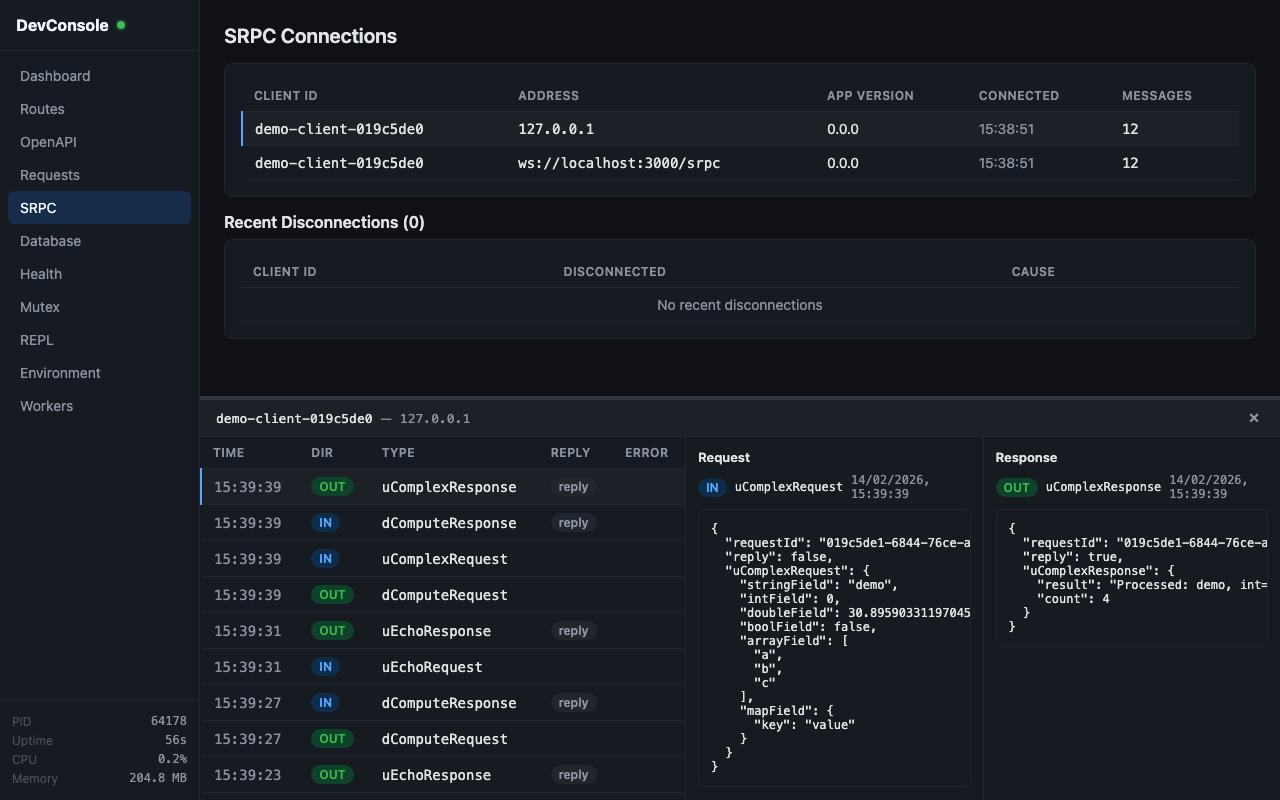
SRPC connection monitor showing active connections (client ID, stream ID, app version, address, uptime, ping, message count) and recent disconnections. Includes a message-level inspector (last 500 messages) showing type, direction, request ID, reply status, and errors. Messages can be filtered by stream ID.
A search input filters the per-connection message list by message type (case-insensitive). The Clear button removes all captured messages and recent disconnections — synced across clients.
Database Entities
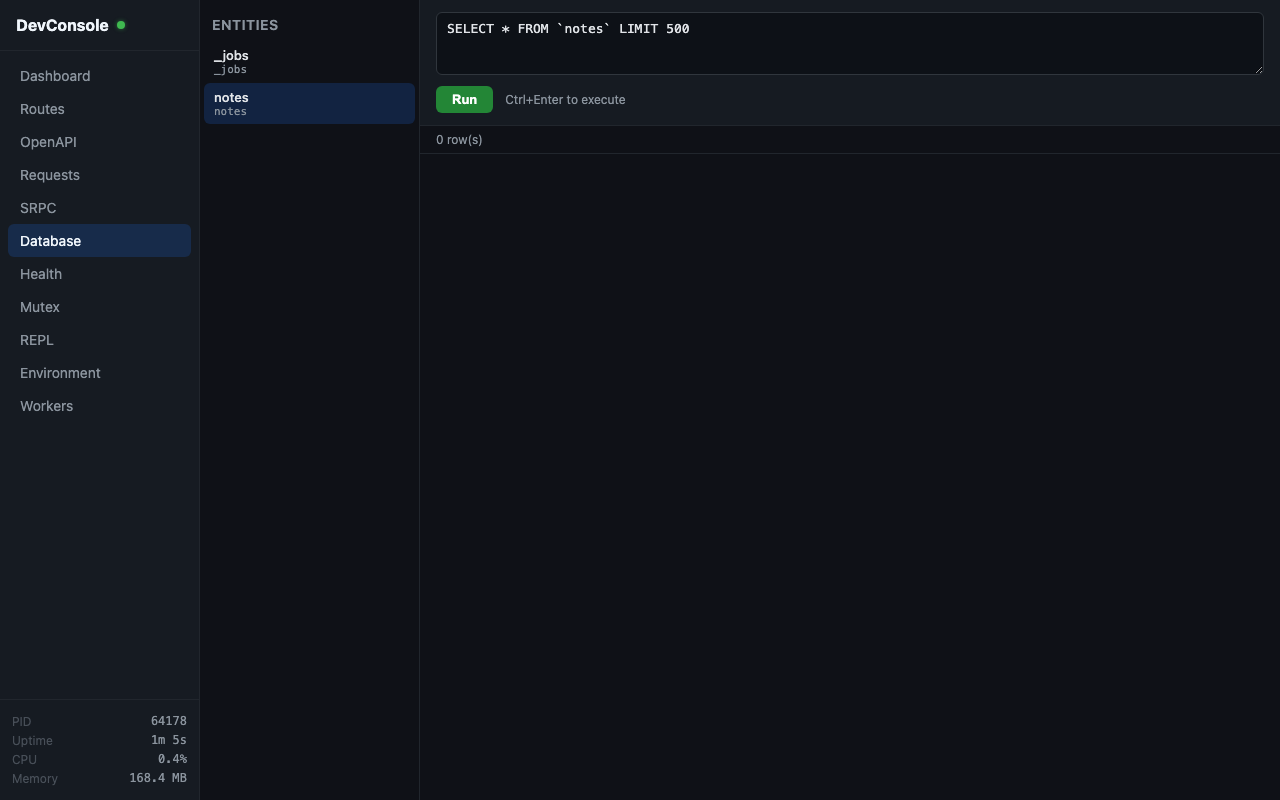
Entity browser listing all registered ORM entities with table names and columns. Includes a SQL query editor — SELECT queries return result rows, while INSERT/UPDATE/DELETE return affected row counts. Execute with Ctrl+Enter.
Database Log
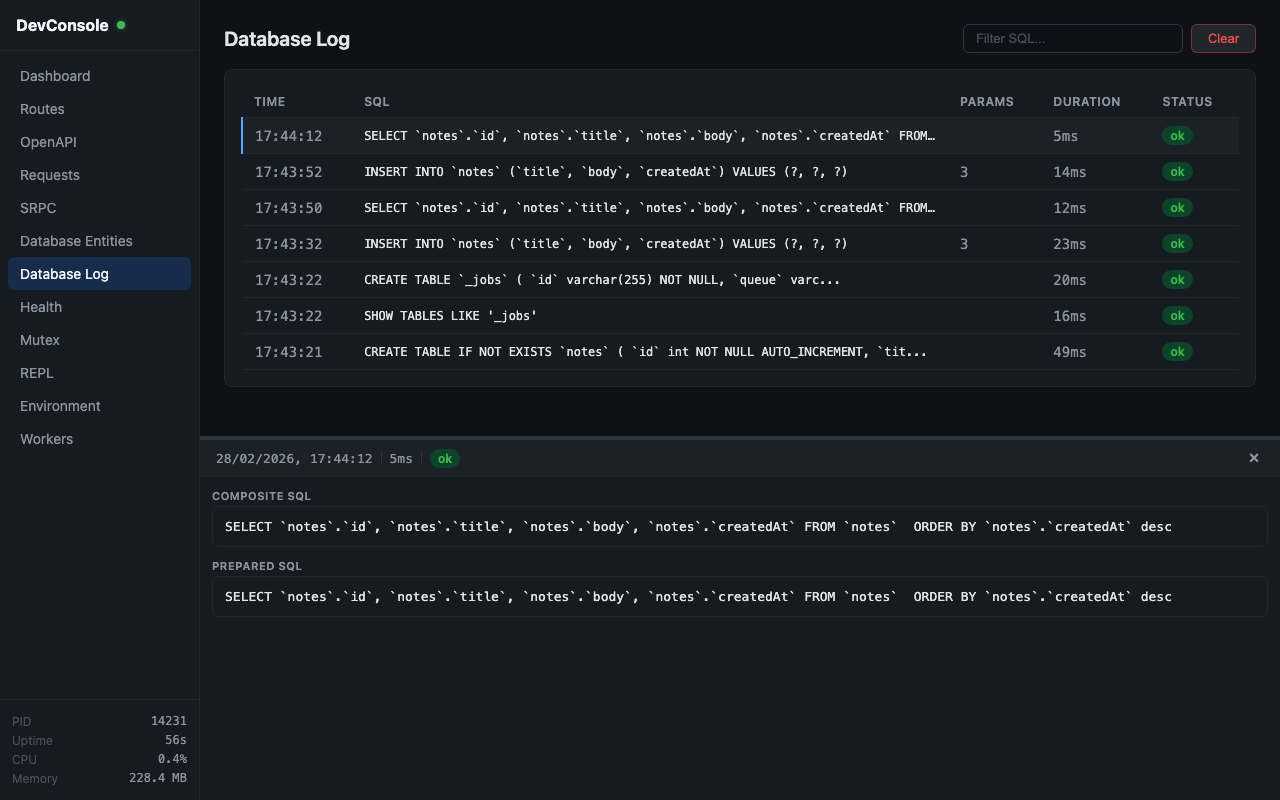
Live query log capturing all SQL queries executed through the ORM. Queries appear immediately with a running status and update on completion with duration and error info (last 500 entries).
The table shows timestamp, SQL (truncated), parameter count, duration, and status. Clicking a row opens a detail panel with:
- Composite SQL — the prepared SQL with binding placeholders replaced by their values inline, formatted for readability (dates as
'YYYY-MM-DD HH:mm:ss'in UTC, strings escaped, numbers bare, booleans asTRUE/FALSE, JSON objects as quoted strings, nulls asNULL) - Prepared SQL — the raw parameterized SQL
- Bindings — the parameter values as JSON
- Error — error message (if the query failed)
A search input filters by SQL substring. The Clear button removes all captured queries — synced across clients.
Query capture works by monkey-patching at the lowest Deepkit ORM level:
MySQLConnection.run()andPostgresConnection.run()for write operations (INSERT, UPDATE, DELETE, DDL)SQLConnection.execAndReturnAll()andSQLConnection.execAndReturnSingle()for read operations (SELECT, COUNT)
Health
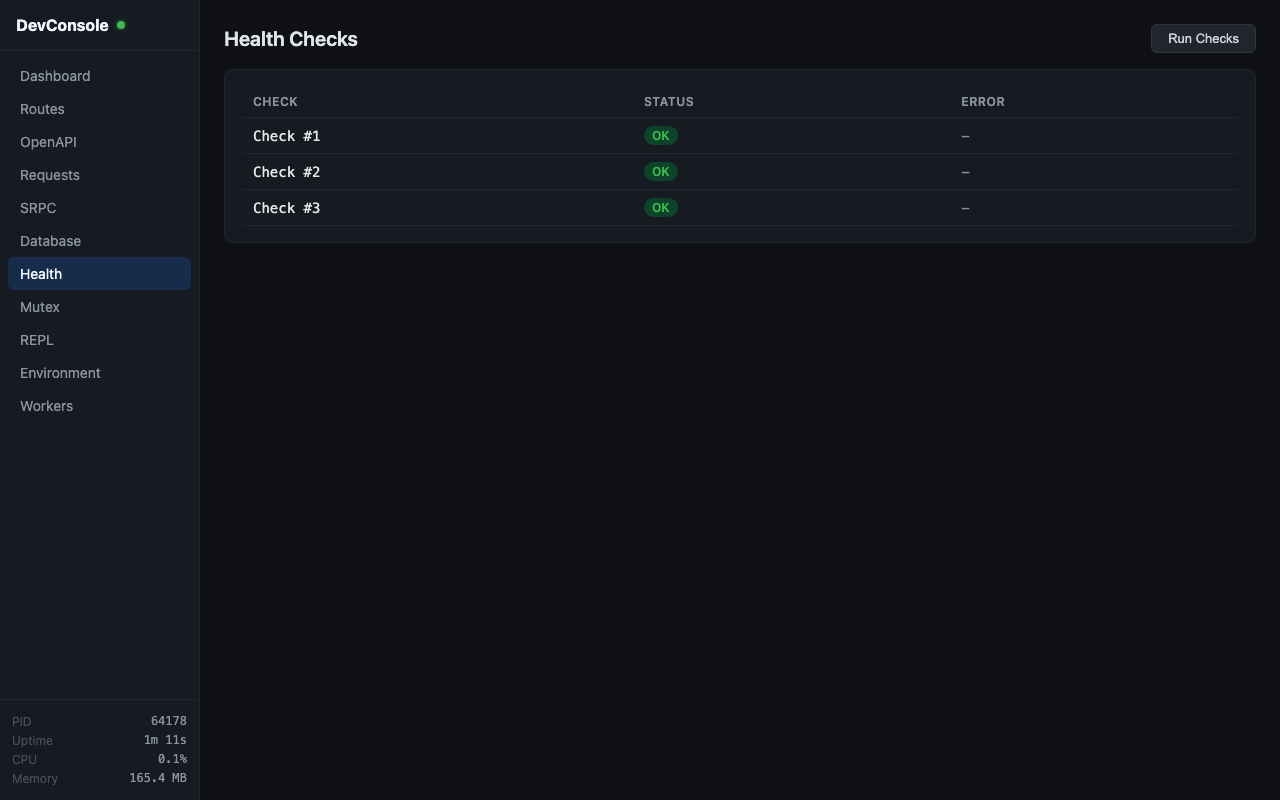
Displays results from all registered health checks with status (ok/error) and error messages.
Mutex
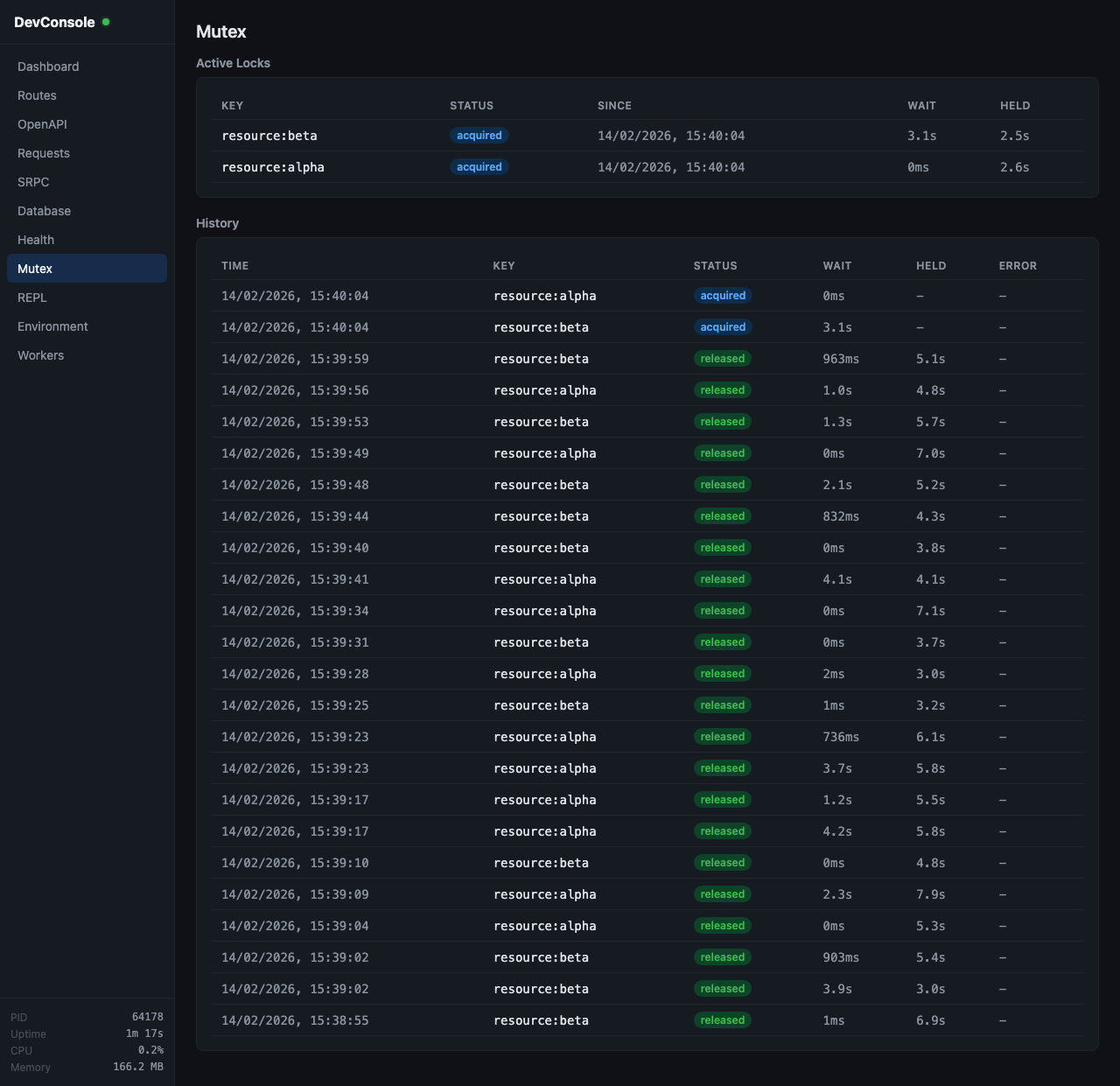
Redis mutex monitor showing active mutexes (key, status, timing) and a history of the last 200 completed/failed acquisitions with wait and hold duration metrics.
REPL
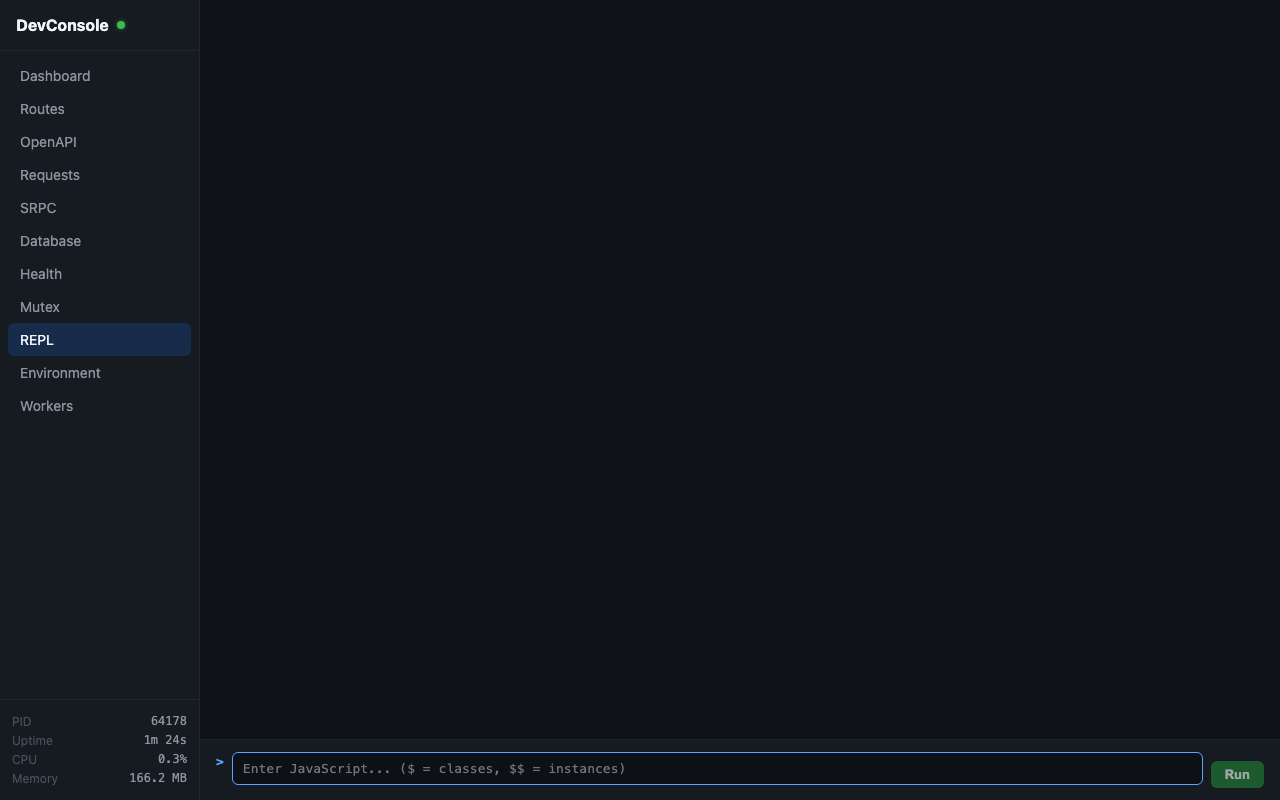
Interactive JavaScript REPL running in the server's context. Access DI-registered classes via $ and instances via $$. Supports Tab-completion, command history (arrow keys), and multiline input (Shift+Enter). Console output (log, warn, error) is captured and displayed.
Environment
Displays application configuration from the config class. Keys containing SECRET, PASSWORD, DSN, TOKEN, or KEY are masked.
Workers
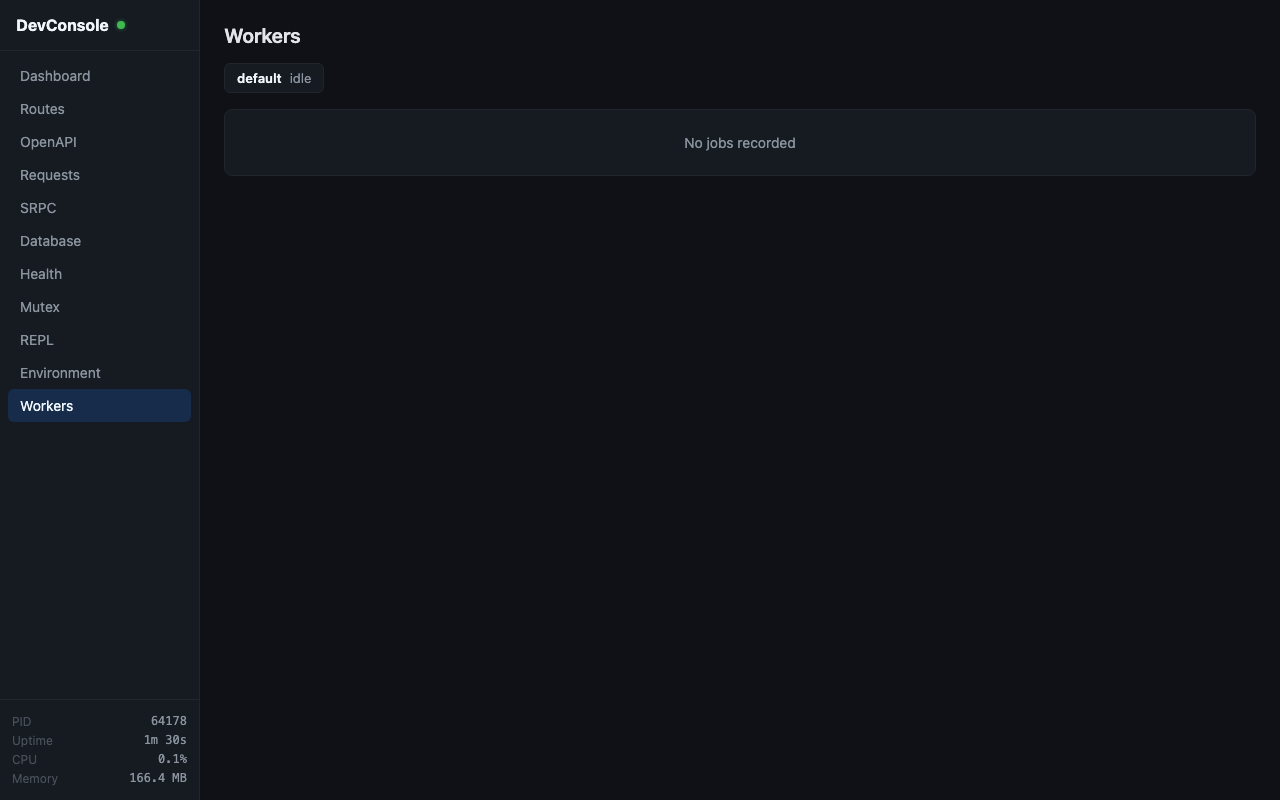
BullMQ job inspector showing queue statistics (active, waiting, delayed, completed, failed counts), live jobs, and job history (last 200 from the _jobs table).
Architecture
Transport
DevConsole uses SRPC over WebSocket (/_devconsole/ws) for bidirectional communication. The protocol is defined in resources/proto/devconsole.proto and uses Protocol Buffers for encoding.
Real-time events (new HTTP requests, SRPC messages, database queries, mutex state changes, worker jobs) are pushed from server to client without polling.
Security
Access is restricted to localhost connections only. The DevConsoleLocalhostMiddleware checks that the request originates from 127.0.0.1 or ::1 using the socket's remoteAddress (not proxy headers). SRPC authentication is bypassed for DevConsole connections.
How It Works
DevConsole initializes via initDevConsole() in src/devconsole/patches.ts, which monkey-patches core framework components to intercept events:
- HTTP Kernel — captures request/response data for the Requests view
- HTTP Workflow — captures controller errors
- SRPC Client & Server — observes messages and connection lifecycle
- Worker Recorder — listens to BullMQ job events
- Mutex (
withMutex) — tracks mutex acquisitions and releases - Database Connections — intercepts
MySQLConnection.run(),PostgresConnection.run(),SQLConnection.execAndReturnAll(), andSQLConnection.execAndReturnSingle()to capture all executed queries with timing
Captured data is stored in ring buffers (DevConsoleStore) for bounded memory usage.
Frontend
The frontend is a Vue 3 SPA built with Vite. Source lives in devconsole/ and builds to dist/devconsole/. The built assets are served by DevConsoleController at /_devconsole/.
In development, the frontend can be run standalone with cd devconsole && npm run dev, which proxies API and WebSocket requests to localhost:3000.
Demo App
A demo application is included to showcase all DevConsole features:
yarn devconsole-demoThis starts a server at http://localhost:3000 with auto-generated HTTP traffic, SRPC client/server chatter, worker jobs, and mutex contention. Open http://localhost:3000/_devconsole/ to see it all in action.